Built on the legacy of the popular and acclaimed Tokyo Split Animator, Hawaiki AutoSplit is simply the best plug-in for split screen creation and animation that you can buy:With even more power and flexibility to help you work faster and more creatively;
And support for a wide variety of host applications, including Adobe Premiere Pro and After Effects (Mac only), Apple's Motion 5, Final Cut Pro X and Final Cut Pro 7.
With simple-to-use menu-driven animation and fully customisable grid parameters, AutoSplit harnesses a wealth of powerful automated processes to make your split screen animation projects much easier and more enjoyable than ever before.
How does it work?
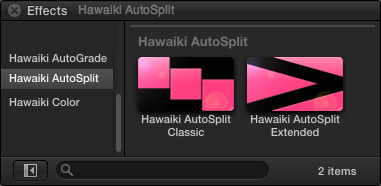
The plug-in comes complete with two separate effect modules:
Classic is for creating an almost limitless number of different rectangular grids in the classic split screen formation;
Extended includes a variety of shapes based on triangles that can be combined to form a large number of unusual and effective layouts.
Unlike other split screen plug-ins which offer a limited set of fixed value "boxes", AutoSplit Classic allows you to set the scale, crop and hold position of your "box" to literally any value, meaning there is virtually no limit to the different grid arrangements you can achieve. But there's also a great library of built-in presets to get you started instantly.
With a rich feature set including impressive border styling capabilities, AutoSplit is by far the quickest and most powerful split screen plug-in on the market.
Developed by Tokyo Productions and Lawn Road, Hawaiki AutoSplit is available exclusively through FxFactory.
Download and Install FxFactory before installing Hawaiki AutoSplit.